


Text Free: Calling & Texting
4.530.58K Reviews
App Specs
- Version
- 13.25
- Updated On
- License
- Free
- Downloads
- 10,000,000+
- Developer
- Pinger, Inc
- Categories
- Social
- Platform
- Android, iOS
Screenshots



 Analysis by AppCompare
Ever been in that situation where you need to make a call or send a text but don't want to give out your real number? That's where Text Free: Calling & Texting comes to the rescue. It's like magic for those of us who want to keep things a bit more private or just need a second line for various reasons. I've spent some time with this app, and here's the lowdown on what you can expect from it.
A second number for the situations that call for one
I find the clearest reason to use Text Free is to keep a personal number separate from conversations that may be temporary or unfamiliar. You might use it when arranging a marketplace pickup, signing up for a local club, or coordinating a short-term project. If the conversation turns into a stream of messages later, you can keep that activity away from your everyday line. It is a practical boundary, not a guarantee of anonymity: people still need to know which number you are using, and a second number should not be treated as a substitute for careful sharing.
It can also help when a household member or small volunteer group needs a contact number for a specific task. Before sharing it, I would decide who will monitor incoming calls and texts, and how long the number is meant to stay in use. That small bit of planning matters more than it sounds. A line that is useful for a one-off exchange can become confusing if you later forget which contacts have it or expect urgent messages to reach your usual phone.
For a routine example, imagine arranging a used desk pickup after work. You can give the other person the Text Free number, confirm the time by text, and use the same line if the pickup is delayed. That keeps the exchange organized without handing out your primary number. If the other person needs a dependable voice call and you have limited or unstable internet, though, your normal mobile line may be the safer choice.
Getting Started with Text Free
The installation process is a breeze, just like any other app. You download it from the app store, and after a simple setup, you’re good to go. The app gives you a free US phone number, which you can use to call and text anyone in the US and Canada for free. This feature is especially handy if you’re traveling or want to separate your work and personal life.
What the free setup means in practice
Text Free is a social communication app from Pinger, Inc. It is free to install, with in-app purchases priced from $1.99 to $99.99 per item. That distinction is worth keeping in mind: getting started costs nothing, but calling beyond the included options may involve earning or buying minutes, as the calling section explains. I would treat it as a flexible extra line rather than assume every kind of use will remain free.
The app has a 4.5 average from around 126,000 ratings, and it has been installed over 10 million times. That level of use suggests the second-number idea has broad appeal, but it does not tell you whether the service fits your specific calling habits or network conditions. It is rated for everyone, and the current version is 13.12. It first appeared in 2013, so this is an established service rather than a brand-new messaging experiment.
Worth Reading Before You Choose

EA SPORTS FC Mobile 26 Is a Bigger Football Game, but It Takes Time

Flipboard Shows What News Apps Must Do Beyond the Feed

Switching to Android Auto Means Rethinking Your Driving Routine

Google Calendar Makes a Crowded Week Easier to Manage

Ludo King Makes the Most of the Minutes Between Plans

Baby Panda World Brings Quick Play to Modern Phones, but Its Game Library Feels Busy
If you are deciding whether to try it, I would first identify the job you need the number to do. Occasional texts and a few calls are a different workload from using it as your only contact line all day. Starting with one low-stakes conversation lets you see whether the setup and connection suit you before you rely on it for time-sensitive plans.
Features That Stand Out
One of the coolest features is that you can customize your voicemail greeting, making it feel like an extension of your primary phone. Plus, if you’re anything like me and get a kick out of personalization, you’ll love the custom ringtones and text tones. It’s the little things, right?
Those sound options can do more than make the line feel personal. If you carry both a regular number and this one, a distinct tone can help you notice which line is receiving a message without opening the app first. I would choose sounds that are easy to tell apart in a busy room, then keep the voicemail greeting clear about whether callers should leave a message or try another way to reach you.
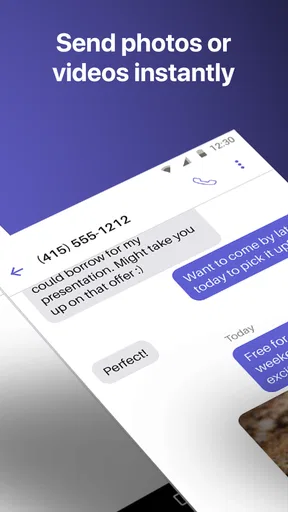
Texting is unlimited, which is a huge plus. You can send photos, emojis, and even group texts. The app supports MMS, so sending those funny memes or important documents is no biggie. And if you’re worried about ads, yes, there are some, but they’re not too intrusive. You can always opt for the premium version if you want an ad-free experience.
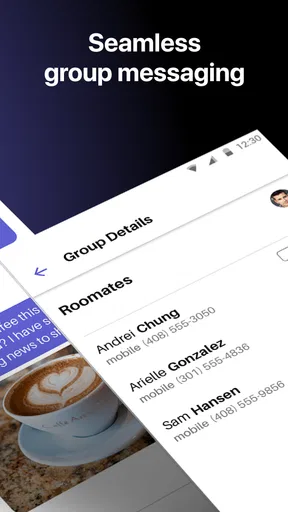
Group texting makes the app more useful for coordination than a simple disposable contact number might suggest. For example, a few people organizing a shared ride can keep timing and changes in one conversation rather than relay every update separately. The trade-off is that a group thread can quickly mix personal and temporary contacts. I would name or otherwise keep track of the purpose of each conversation, and avoid sending sensitive documents simply because MMS is available; convenience does not make a messaging channel appropriate for every private file.
Calling when the connection is doing the work
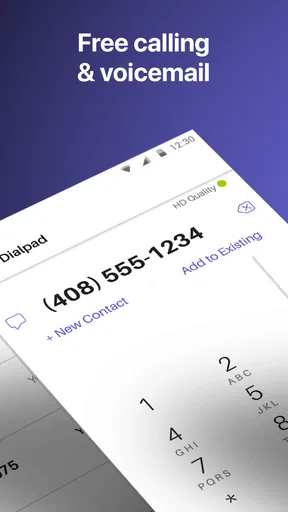
Calls are free to other Text Free users; for others, you'll need to earn or purchase minutes. The quality of the calls is decent, but it can vary depending on your internet connection. I had a few calls where the audio was a bit choppy, but nothing too drastic. If you rely heavily on Wi-Fi for calls, this might be something to keep in mind.
That makes the app a better fit for flexible conversations than for calls where every word must come through clearly. I would use it for confirming an appointment, checking a pickup time, or making a casual call when the network is behaving well. For an interview, a medical discussion, or an urgent call where a dropped connection would create real trouble, I would keep a conventional phone option available. A short test call before an important conversation is a sensible way to check the room and network you plan to use.
It also helps to think through the difference between a phone number and a phone service. A second number can make it easier to manage who you share your contact details with, but the call still depends on connectivity and the app’s calling options. If you regularly need dependable calls away from Wi-Fi, a carrier plan or another service suited to that pattern may be a better primary choice.
Usability, readability, and navigation
The interface is straightforward and user-friendly. You don’t need to be a tech whiz to navigate through the app. Everything is laid out clearly, and the design is clean and modern. It’s got that intuitive feel where you don't have to search for features; they’re just there.
For someone who is new to second-number apps, a simple layout can lower the effort of switching between messages and calls. Still, a clear interface does not automatically mean every element will be comfortable for every person. Text size, contrast, and the amount of information on screen can matter a lot, particularly when you are reading quickly or using the phone in bright surroundings. I would check the display settings available on the device itself and try the app in the conditions where you expect to use it.
One feature that I found particularly useful is the ability to sync with your contacts. It makes the transition smoother and saves you from the hassle of manually entering numbers. Plus, you can access your messages from any device, which is a lifesaver if you switch between devices frequently.
Contact syncing is convenient, but it is worth being deliberate about how you use it. If you want the second line to stay focused on a particular purpose, keeping the relevant contacts easy to identify can prevent a reply from going to the wrong person. Before sending a message, I would glance at the recipient and the number shown in the conversation, especially when moving between your regular line and the app. That quick check is a simple safeguard against mixing up contexts.
Different abilities and everyday conditions
For people who find typing easier than speaking, texting can be a useful way to handle routine coordination without needing to place a call. Group messages and MMS can also help when a plan needs a photo or a quick update. Someone who prefers voice, has difficulty typing, or needs communication to work in a noisy setting may experience the balance differently. The app offers both calls and messages, but its usefulness still depends on which mode is comfortable and reliable for the person using it.
Motor and sensory needs shape the experience too. Repeatedly switching between lines, opening a conversation, and selecting a contact can add friction for someone who has limited dexterity or fatigue. Distinct notification tones may help separate this line from a primary one, while a recognizable voicemail greeting can make it clearer to callers that they reached the right place. These are practical choices rather than accessibility guarantees, so I would test them personally instead of assuming one setup works for everyone.
Situational access matters just as much as the interface. At home on stable Wi-Fi, an app-based call may be convenient; on a crowded commute, in a low-signal building, or while moving between networks, call quality can be less predictable. Texts may be the easier option when a conversation does not need an immediate spoken reply, but they are not a replacement for urgent contact. If you are coordinating around a deadline, agree on a backup method with the other person.
Privacy, boundaries, and trade-offs
In today’s world, privacy is a big deal. The app ensures that your real number stays private, and you can choose who gets to see your Text Free number. It’s perfect for online transactions or when you need to give a number but want to keep your personal line confidential.
I see the strongest privacy benefit as control over which number you share, not as a promise that every interaction becomes private. Use a different number for a public listing or a brief exchange if that separation suits you, and keep your main number for people who need to reach you consistently. For a job search, for instance, the second line may help sort incoming calls, but you will want to check it regularly so a potential employer’s message is not missed.
The usual alternative is to give out your regular mobile number and keep everything in one place. That is simpler and often preferable when reliable calling and familiar contact handling matter most. A dedicated second-line service can offer clearer separation, while internet-based messaging apps are often more natural when everyone in a conversation already uses the same platform. Text Free sits between those approaches: it gives you another number and supports texts and calls, but its call experience can depend on connectivity and non-Text Free calls may require minutes.
It is probably not the right fit if you want a guaranteed replacement for a carrier line, dislike advertising, or need every call to work consistently regardless of Wi-Fi. It may also be more app management than you need if your only goal is to message friends who already share another messaging service. On the other hand, if a separate US number would make occasional exchanges easier to manage, the free starting point gives you a low-commitment way to see whether the workflow suits you.
Final Thoughts
Overall, Text Free: Calling & Texting is a solid choice for anyone looking to add a second line or maintain privacy. It’s versatile, reliable, and does what it promises without too much fuss. While it’s not completely free if you plan to use it heavily for calls, the texting capabilities and customization options give it an edge.
If you're on the lookout for a secondary number app that's simple to use and keeps your main number under wraps, give Text Free a whirl. It might just be the solution you've been searching for.
My inclusive verdict is that this app can be a helpful communication option when you value a separate number, prefer text for everyday coordination, and have internet access that supports the calls you want to make. I would not make it the only way to contact me until I had tested it in my own routine and understood the minutes and connection trade-offs. For readers who need a straightforward extra line and are comfortable checking messages in an app, it is worth trying; for those who need highly dependable voice access or a setup tailored to specific accessibility needs, a carrier line or another tool may be the more comfortable choice.
Pros
- Free unlimited texting to US numbers.
- Compatible with most devices.
- User-friendly interface.
- Customizable text tones.
- Supports group messaging.
Cons
- Contains in-app ads.
- Limited free calling minutes.
- Requires internet connection.
- Some features need premium upgrade.
- Occasional app crashes reported.
FAQs for Text Free: Calling & Texting
What features does Text Free offer?
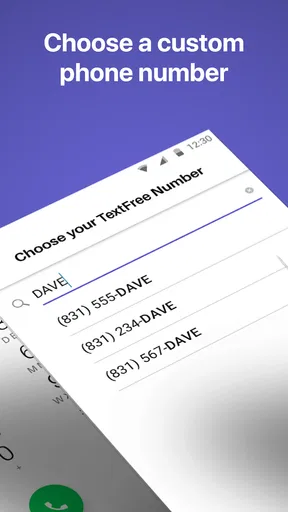
Text Free provides a range of features including free texting and calling to any U.S. number, the ability to choose your own phone number, and voicemail. It also supports group messaging and picture messaging, making it a versatile communication tool for staying connected with friends and family.
Is Text Free really free to use?
Yes, Text Free is free to download and use for sending texts and making calls to U.S. numbers. However, international calls and some premium features may require in-app purchases or credits. Users can also watch ads or complete offers to earn credits for free.
How reliable is the call quality on Text Free?
Text Free generally offers reliable call quality over a strong Wi-Fi or data connection. However, the call quality may vary based on network strength and stability. Users are advised to ensure a stable internet connection for optimal performance when making voice calls.
Can I use Text Free on multiple devices?
Text Free can be accessed from multiple devices, but it is primarily designed for use on one device at a time. Users can log into their account on different devices, but simultaneous usage isn’t supported. This feature ensures seamless conversation tracking and notification management.
Is my personal information secure on Text Free?
Text Free prioritizes user privacy and security by implementing encryption for messages and calls. However, users should be cautious with sharing personal information over any platform. Regularly updating the app and reviewing privacy settings can further enhance security.


